Your Blog, Any AI: Building and Shipping a Ghost MCP Server from Scratch
The existing Ghost MCP servers were abandoned, so I built my own in an evening: TypeScript, published to npm, deployed on a self-hosted MCP gateway, usable from any MCP client anywhere — including this post, published through the tool it describes.

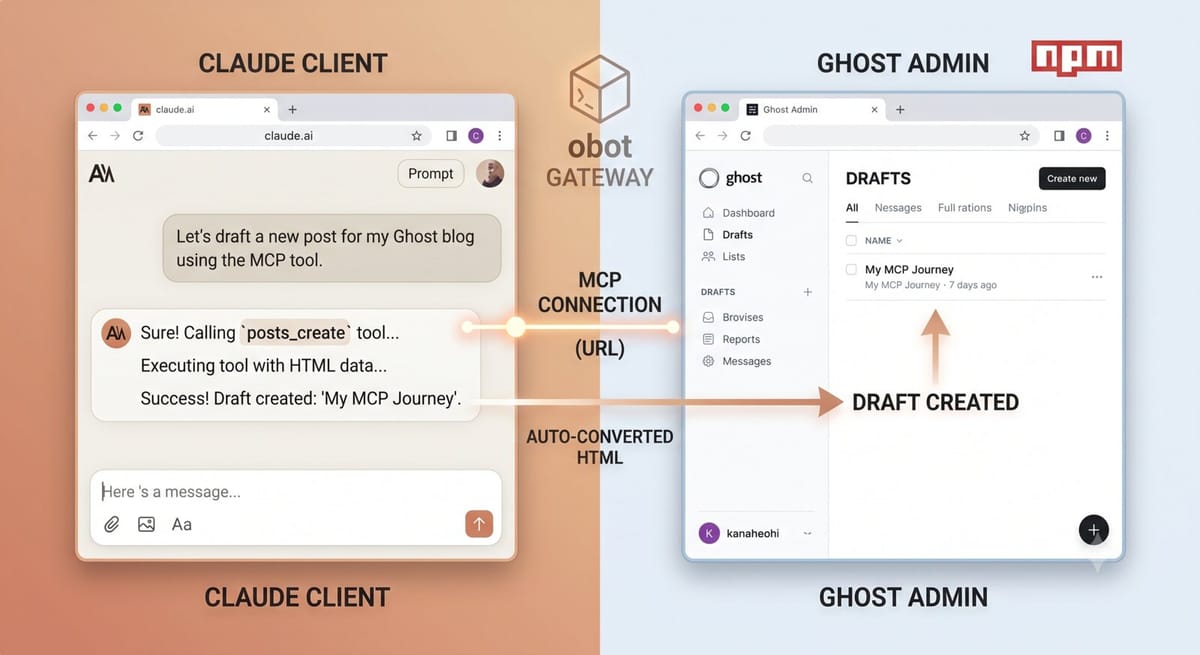
I run a few Ghost blogs. I also increasingly do everything through AI assistants. The missing piece: letting Claude write, edit, and publish to those blogs directly — from my desktop, from claude.ai in a browser, from anywhere.
The Model Context Protocol (MCP) is exactly the plumbing for this. This is the full story of going from "I want my blogs manageable by any AI" to a published npm package, running centralized on my home server, connected to Claude — in one evening. Including the part where this very post was drafted and published through the tool it describes.
The Goal: One Server, Any Client
The naive way to wire an AI assistant to a tool is per-client config: edit a JSON file on your desktop, repeat on your laptop, repeat in every app. It works, but your credentials and setup are scattered across machines.
The better architecture is a centralized MCP gateway: your MCP servers run in one place, and every client — Claude Desktop, claude.ai, Cursor, whatever speaks MCP — connects to a URL.
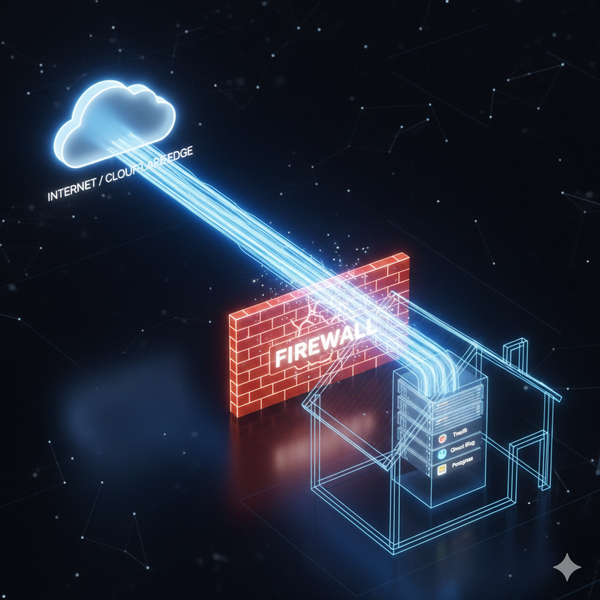
I use obot, a self-hosted MCP gateway, running on the same home server from my Cloudflare Tunnel setup. obot hosts a catalog of MCP servers, runs them (npm package, Python package, or Docker container), and proxies every client through:
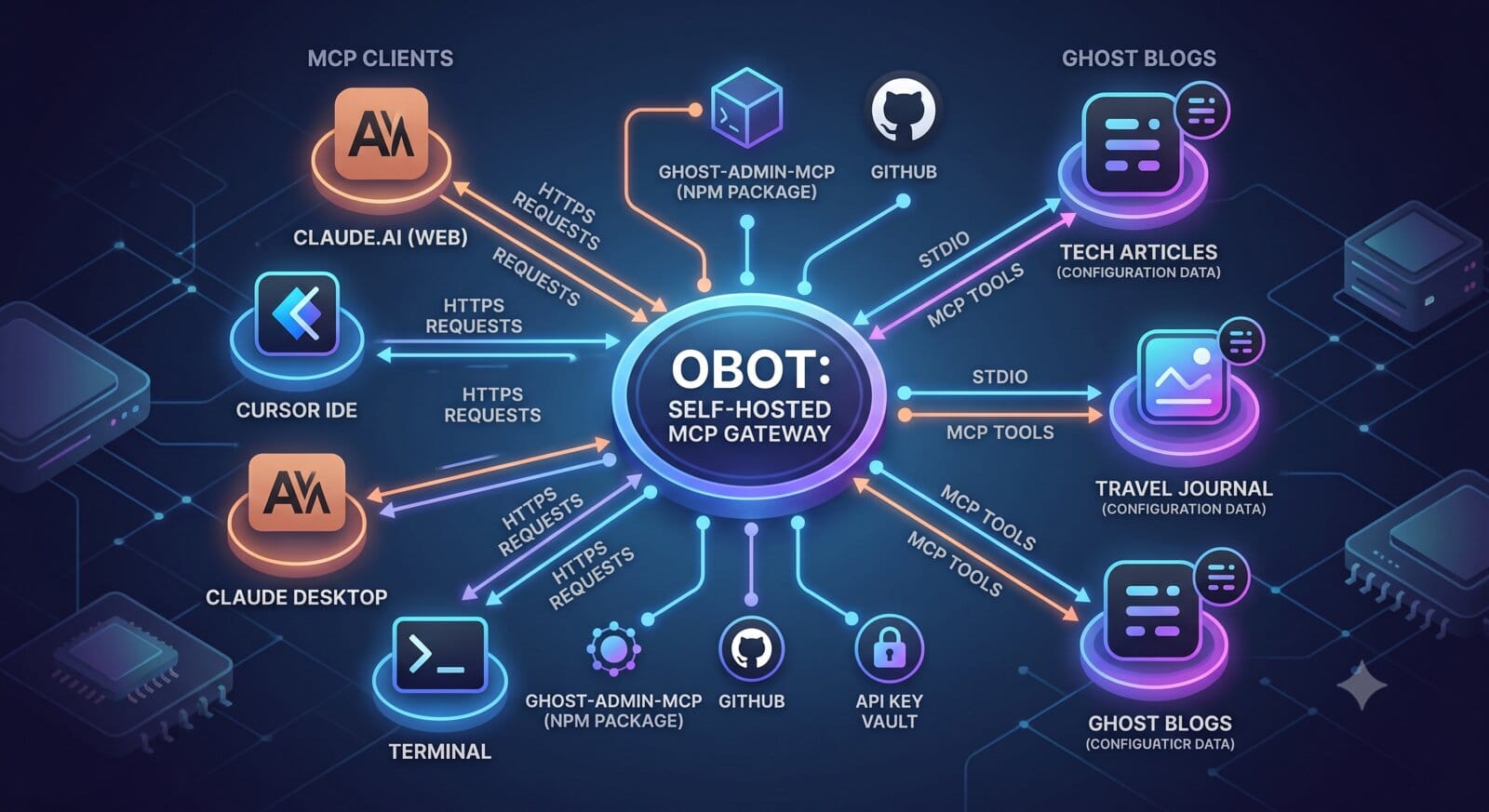
Any MCP client (Claude, Cursor, ...)
    | HTTPS
https://obot.yourdomain.com/mcp-connect/{server-id}
    |
obot gateway (home server)
    | stdio
your MCP server process
    | HTTPS
Ghost Admin API
Add a server once, use it from everything. That was the destination. First I needed a Ghost MCP server worth running.
Step 1: Check What Exists (Spoiler: Abandoned)
Before building anything, check the ecosystem. There are a dozen Ghost MCP packages on npm. The health check was sobering:
| Package | Signal | Problem |
|---|---|---|
| The 220-star one | Most popular by far | No commits in 3+ months; "broken with Ghost v6" issue open since December; no pages, no image upload, no metadata editing |
| The "active" one | Pushed today! | Every commit for months is a dependabot version bump. Zero human development |
| Everything else | 0-1 stars | Single-author experiments, a handful of releases, no track record |
The features missing from the popular one — image upload, pages, SEO metadata — were exactly the ones I use daily. When the maintained options don't cover your actual workflow, that's the green light to build.
Step 2: Build It
An MCP server is smaller than you'd think. Mine is two TypeScript files: a Ghost client wrapper and the tool definitions.
The stack:
- @modelcontextprotocol/sdk — the official MCP SDK; handles the protocol, you write tools
- @tryghost/admin-api — Ghost's official Admin API client; handles the JWT signing
- zod — input schemas that the SDK turns into tool definitions
Registering a tool is this simple:
server.registerTool(
  "posts_create",
  {
    description: "Create a post. Defaults to draft unless status is set.",
    inputSchema: { title: z.string(), html: z.string().optional() },
  },
  async (input) => {
    const post = await api.posts.add(buildPayload(input), { source: "html" });
    return ok(summarize(post));
  }
);
Since posts and pages share the same API shape in Ghost, one factory function registers both resource families. Sixteen tools total: full CRUD for posts and pages (SEO meta, scheduling, feature images included), tag management, image upload, site info.
The real value is handling Ghost's gotchas so the AI never sees them:
- The updated_at collision check. Ghost rejects any edit that doesn't include the post's current
updated_at(its "someone else is editing" protection). My update tool fetches the current value first, automatically. The AI just says "update the title." - HTML source conversion. Ghost stores content in its own Lexical format. Passing
source=htmllets you write plain HTML and Ghost converts it. Every write tool does this. - Tags by name. The API wants tag objects; the tools accept
["Recipes", "Dinner"]and Ghost auto-creates missing ones.
Full disclosure on velocity: I built this with Claude Code driving — it wrote the server, tested the MCP handshake over stdio, and verified live calls against a real blog. The whole build was an evening, and most of that was npm's login flow, not the code.
Step 3: Publish (npm + GitHub)
Distribution for MCP servers is npm — every client can run npx ghost-admin-mcp and get a working server. Publishing was the standard dance: account, 2FA, publish.
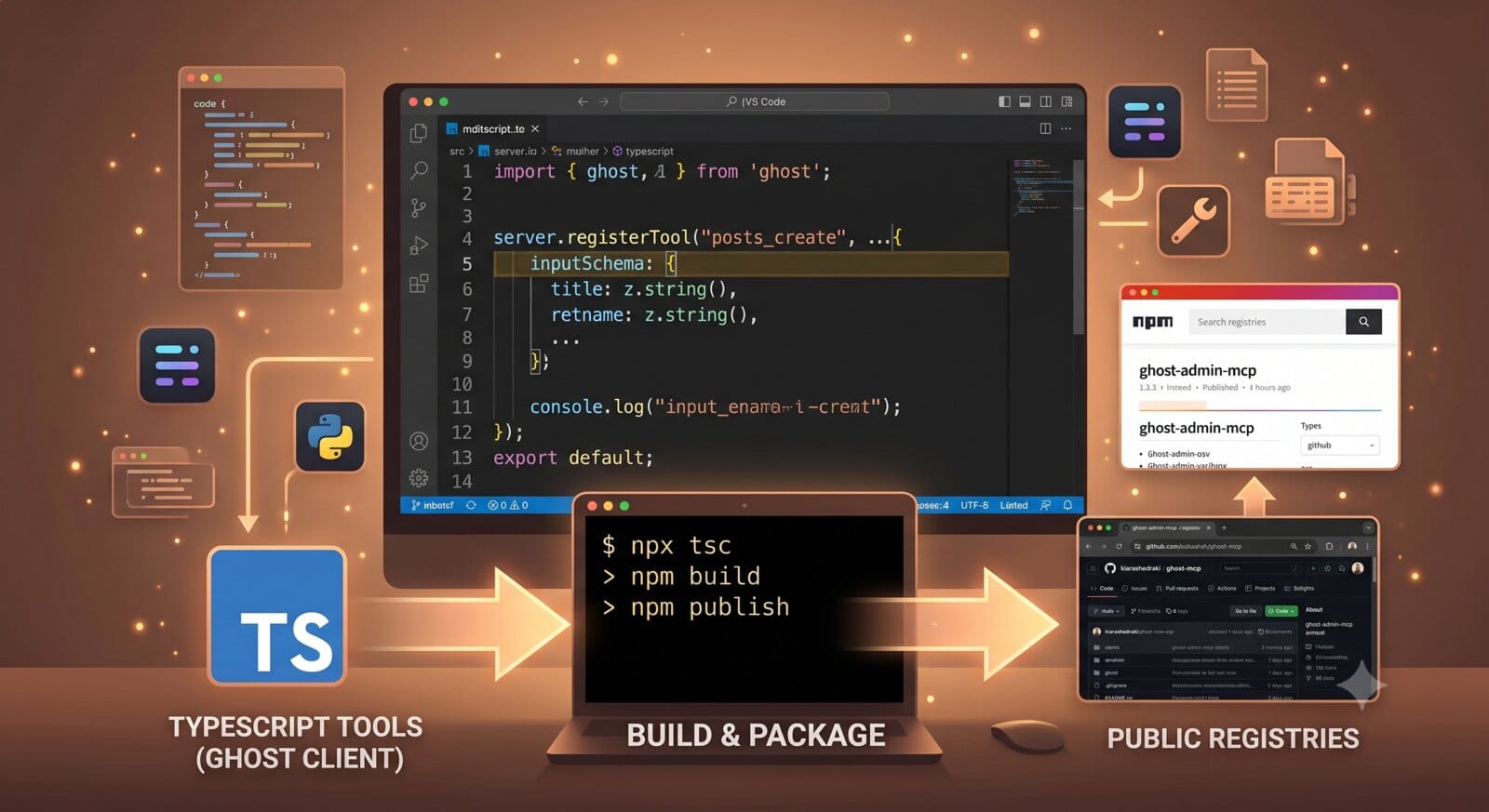
The result:
- npm: ghost-admin-mcp
- GitHub: kiarashedraki/ghost-mcp (MIT)
Configuration is two environment variables — GHOST_API_URL and GHOST_ADMIN_API_KEY (from Ghost Admin → Settings → Integrations → Add custom integration). That's the whole setup surface.
Step 4: Deploy to the Gateway
With the package on npm, deploying to obot is two API calls against its admin API. First, a catalog entry — the reusable template that shows up in obot's UI. It declares the runtime ("run this npm package") and the env vars a user must supply:
{
  "name": "Ghost Admin",
  "runtime": "npx",
  "npxConfig": {"package": "ghost-admin-mcp"},
  "env": [
    {"key": "GHOST_API_URL", "name": "Ghost site URL", "required": true},
    {"key": "GHOST_ADMIN_API_KEY", "name": "Admin API key", "required": true, "sensitive": true}
  ]
}
Then a deployment from that entry, configured with a specific blog's URL and key. obot runs the package, bridges its stdio to HTTP, and gives you a connect URL:
https://obot.yourdomain.com/mcp-connect/ms1xxxxx
One deployment per blog, all from the same catalog entry, each with its own credentials. The keys live in exactly one place — the gateway — not on every laptop.
Step 5: Use It Anywhere
Now any MCP-capable client connects to that URL. In claude.ai: Settings → Connectors → Add custom connector → paste the connect URL. Done — Claude on the web can now browse, write, and publish to the blog.
For clients that prefer running servers locally, the npm package works directly without any gateway:
{
  "mcpServers": {
    "ghost": {
      "command": "npx",
      "args": ["-y", "ghost-admin-mcp"],
      "env": {
        "GHOST_API_URL": "https://your-blog.com",
        "GHOST_ADMIN_API_KEY": "id:secret"
      }
    }
  }
}
Same tools either way. The gateway buys you centralized credentials and zero per-machine setup; the local config buys you independence from your own infrastructure. Pick per situation — the package doesn't care.
The Full Loop
Here's the A-to-Z in one list:
- Centralize: self-hosted obot MCP gateway on the home server (free, behind Cloudflare Tunnel)
- Audit: existing Ghost MCP packages — all effectively unmaintained
- Build: TypeScript MCP server, 16 tools, Ghost gotchas absorbed
- Publish: ghost-admin-mcp on npm, source on GitHub
- Deploy: catalog entry + per-blog deployments on the gateway
- Connect: claude.ai, Claude Desktop, Cursor — anything that speaks MCP, anywhere
And the proof it works: this post was drafted and pushed to Ghost through ghost-admin-mcp itself — Claude called posts_create, Ghost converted the HTML, and it landed in my drafts. Even the images in this post were uploaded through the MCP's images_upload tool. The tool shipped its own announcement.
If you run a Ghost blog and an AI assistant, wire them together: npx ghost-admin-mcp is all it takes. Issues and PRs welcome at github.com/kiarashedraki/ghost-mcp. 1win iniciar sesión